
If you’re a 30-something gamer chasing that “boot up and vibe” feeling—Game Boy-era simplicity, PS1 comfort food, and endless pocketable classics—today’s retro handheld scene is basically a golden age. The best part: many of the top devices now run Linux or Android, and several have thriving aftermarket firmware communities (think ROCKNIX, OnionOS, GammaOS, muOS/KNULLI) that can dramatically improve usability, performance, and the “pick-up-and-play” factor. (As always: use your own legally owned game dumps.)
I’m ready to replay Chrono Trigger and Final Fantasy 6 for the 50th time each.
Below are 10 standout retro handhelds you can actually buy from mainstream retailers right now—each with a quick rundown plus pros/cons.
1) Valve Steam Deck (OLED or LCD) — the “retro… and everything else” powerhouse
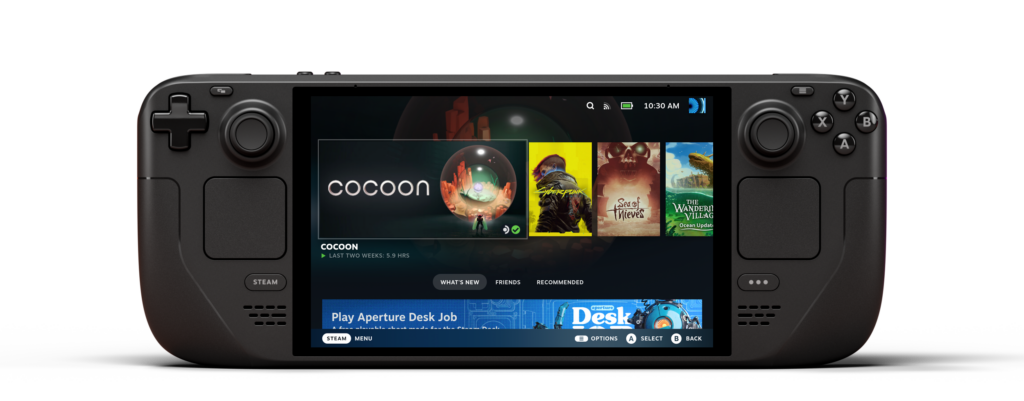
If you want one handheld that can be an emulation monster and a modern PC backlog killer, the Steam Deck is still the “one device to rule them all.” It runs SteamOS, which Valve describes as a Linux-based operating system optimized for gaming. That Linux foundation means you get a deep ecosystem of community tools, desktop mode flexibility, and controller-first ergonomics that feel great for everything from SNES to PS2/GC (and beyond, depending on setup).
Pros
- SteamOS is Linux-based and designed around handheld gaming
- Huge screen, comfy controls, strong performance for higher-end emulation
- Desktop mode flexibility for tinkering and mods
Cons
- Bigger/heavier than “pocket” handhelds
- More setup overhead if you only want quick retro sessions
- Battery life varies a lot by workload
Find it on Amazon

2) Retroid Pocket 4 Pro — best “Android emulation console” sweet spot
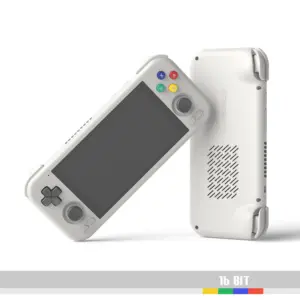
The RP4 Pro is popular because it lands in a great place: strong performance, a great screen, and a mature Android emulation workflow. Retroid’s own specs list it as running Android 13. That means excellent emulator availability, easy Bluetooth audio/controllers, and straightforward scraping/front-ends if you like to curate a library.
Pros
- Runs Android 13 out of the box
- Great performance-per-dollar for PS2/GC-tier tinkering
- Familiar Android UX + tons of emulator options
Cons
- Android “console-ification” takes tweaking to feel truly game-first
- Standby/battery behavior depends on app settings
- Some emulators need per-game tuning
Find it on Amazon

3) AYN Odin 2 — high-end Android handheld for “I want it to just brute force”
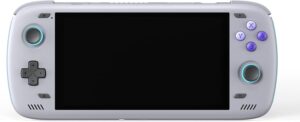
If your nostalgia includes Dreamcast/PS2/GameCube—and you don’t mind carrying a larger device—the Odin 2 family is a beast. AYN markets Odin 2 with Android 13 and a Snapdragon 8 Gen 2-class platform. This is the kind of handheld where you spend less time fighting settings and more time actually playing.
Pros
- Runs Android 13
- Flagship-class performance headroom
- Big battery and premium handheld feel (varies by model)
Cons
- More expensive than “retro-only” devices
- Bigger than pocket-friendly options
- Android setup still benefits from a curated front-end
Find it on Amazon

4) Logitech G Cloud — comfy Android handheld that’s great for streaming + classics
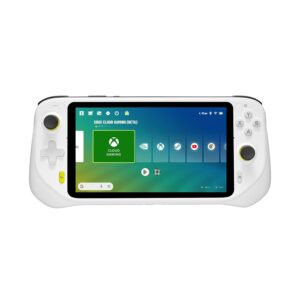
The G Cloud is often seen as a cloud-first handheld, but it’s also a very comfortable Android device with a big 1080p display—awesome for older systems and long sessions. Product listings commonly identify the platform as Android, and it supports Google Play. If your retro life includes “play on the couch while something’s on TV,” this one’s a sleeper hit.
Pros
- Runs Android (Google Play ecosystem)
- Big, sharp screen and excellent comfort for longer play
- Great for remote play/cloud and emulation
Cons
- Value depends on pricing (it’s not a budget handheld)
- Native “high-end” emulation depends on the title/emulator
- Cloud/streaming strengths require solid Wi-Fi
Find it on Amazon

5) Anbernic RG405M — premium pocketable Android with GammaOS community love
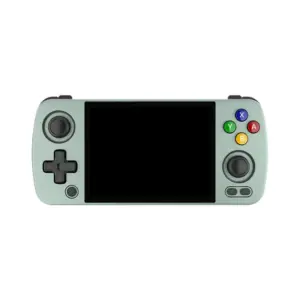
The RG405M is beloved for its metal shell and pocketable form factor, and it ships with Android 12 on many retail listings. The real sauce is the community: GammaOS is a widely used custom Android firmware for the RG405 line, offering a more streamlined experience for many users.
Pros
- Often sold with Android 12
- GammaOS custom firmware support/community
- Premium build + good pocket size for everyday carry
Cons
- Smaller screen than “sofa handhelds”
- Some Android navigation can feel fiddly on small displays
- Metal body can feel cold/heavy in pockets
Find it on Amazon

6) Anbernic RG35XX H — budget-friendly Linux handheld with a thriving community firmware scene
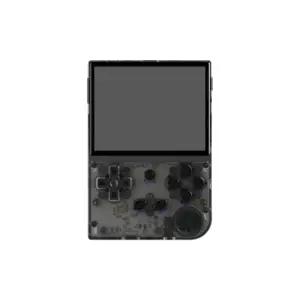
This one hits the nostalgia nerve hard: compact, affordable, and built around quick retro play sessions. You’ll commonly see it marketed as a Linux handheld on retail listings. More importantly, the RG35XX family has a strong custom firmware ecosystem—Retro Game Corps points to options like KNULLI and muOS for the RG35XX line.
Pros
- Frequently sold as Linux-based
- Strong custom firmware options like muOS/KNULLI
- Great “throw it in a bag” value
Cons
- Higher-end emulation is limited compared to pricier devices
- Stock SD/media bundles can be inconsistent (many people replace cards)
- Firmware choice can feel overwhelming at first
Find it on Amazon

7) Miyoo Mini Plus — pocket nostalgia king with OnionOS magic
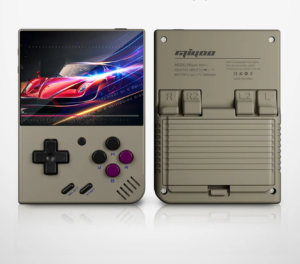
The Miyoo Mini Plus is basically “childhood Game Boy energy” in modern form. The ecosystem is the headline: Retro Game Corps highlights installing custom operating systems like OnionOS for the Mini/Mini+. Onion itself describes it as an enhanced OS overhaul for Miyoo Mini and Mini+. With Onion, this handheld becomes a ridiculously slick “boot, resume, play” machine.
Pros
- OnionOS custom firmware ecosystem is excellent
- Compact, classic-friendly ergonomics
- Great for 8/16-bit through PS1 comfort gaming
Cons
- Not ideal for larger hands in long sessions
- Not the best choice for demanding systems
- Small device = smaller speakers/controls vs bigger handhelds
Find it on Amazon

8) PowKiddy X55 — big screen Linux handheld with ROCKNIX support
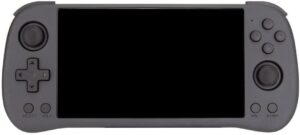
If you like a larger display for GBA/PS1 JRPG marathons, the X55’s 5.5″ class screen is the draw. For firmware, ROCKNIX explicitly provides a device page for PowKiddy X55 with install guidance. ROCKNIX grew out of the post-JELOS era and is one of the most common “upgrade paths” people talk about for RK3566 devices.
Pros
- ROCKNIX support for PowKiddy X55
- Larger screen is great for text-heavy retro games
- Comfortable for longer sessions than micro handhelds
Cons
- Less pocketable than compact 3.5″ devices
- Performance still has RK3566-era ceilings
- Firmware/boot media setup is part of the experience
Find it on Amazon

9) PowKiddy RGB30 — the weird (in a good way) square-screen retro darling + ROCKNIX

The RGB30 is popular for Pico-8, vertical arcade, and anything that benefits from its more square display vibe. ROCKNIX has an official device page for PowKiddy RGB30 as well. If you’re the kind of nostalgic gamer who loves “oddball systems” and curated collections, this handheld is pure personality.
Pros
- ROCKNIX device support page exists for RGB30
- Screen shape shines for certain retro libraries
- Great “specialist” handheld alongside a main device
Cons
- Not as universal as standard 4:3 or widescreen devices
- Ergonomics can be love-or-hate
- Some systems scale awkwardly on the display
Find it on Amazon

10) TrimUI Smart Pro — Linux-based retro handheld with CrossMix OS community upgrades

The TrimUI Smart Pro has become a favorite “mid-size” Linux-style handheld: bigger than pocket minis, smaller than Steam Deck-class machines. Many retail listings describe it as a Linux game system. And if you want to level up the stock experience, CrossMix-OS is a well-known enhanced OS project for the Smart Pro (GitHub project).
Pros
- Commonly sold as Linux-based
- CrossMix OS community firmware option
- Good balance of screen size + portability
Cons
- Stock experience varies; many users prefer community firmware
- Not a “raw power” handheld for tougher systems
- Like many Linux handhelds, SD card setup is part of ownership
Find it on Amazon

Final thoughts: which one should you buy as a nostalgic retro gamer?
- If you want one handheld forever: Steam Deck (Linux/SteamOS)
- If you want easy Android + strong emulation: Retroid Pocket 4 Pro
- If you want pocket-sized comfort food: Miyoo Mini Plus + OnionOS
- If you love Linux handheld tinkering: PowKiddy X55/RGB30 + ROCKNIX
- If you want premium pocket Android: RG405M + GammaOS
Having owned a Steamdeck previously, I selected the PowKiddy X55 and immediately installed ROCKNIX on it for that familiar EmulationStation UI. Wifi setup was a breeze, so install copying ROMs over my home network was no problem. The unit also features HDMI out and a few USB ports, so you can easily play some retro multiplayer games on the big TV!